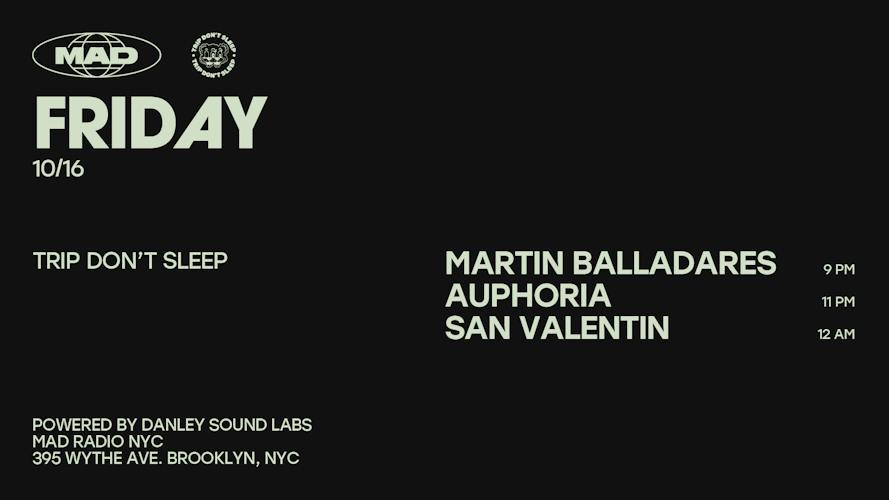

You can now find selected events from CrowdVolt on Posh. Open an event from our Posh page, tap Get tickets, and you’ll land on the matching event page on CrowdVolt to explore tickets and complete your purchase.
If you already use Posh to decide where to go, this gives you another way to find us while you’re making plans. CrowdVolt is a fan-to-fan ticket marketplace. The events on our Posh page point you to that marketplace, with the purchase taking place on crowdvolt.com.
What’s new
Our CrowdVolt page on Posh brings selected event listings together in one place. You can browse the shows listed there, open an event for more details, and follow CrowdVolt through the profile’s Follow button.
Each listing gives you a route to the corresponding event on CrowdVolt. You don’t have to leave Posh, open a separate search, and try to work out which show matches the one you just found.
How to go from a Posh listing to tickets
1. Start with CrowdVolt’s Posh page
Visit CrowdVolt on Posh and choose a show from the upcoming events. Check the event name, venue and date before opening the listing, especially when an artist has more than one show or a venue is running several nights.
2. Open the event and tap Get tickets
Read the event details, then use Get tickets. On these listings, Posh identifies the button as opening an external site. It takes you to the matching event on crowdvolt.com.
3. Choose the right ticket on CrowdVolt
Review the options available for the event and check exactly what each ticket includes. Two tickets for the same show may have different entry conditions. General admission and general admission with an entry cutoff, for example, are worth checking separately.
Match the ticket to your plans: the correct night, the number of people going, and any restrictions shown for that ticket type. Review the total and the details presented in checkout before you complete the purchase.
A show appearing on our Posh page is a way to find its CrowdVolt event page. It does not reserve a ticket or lock in a price. Check the current options once you arrive on CrowdVolt.
Where your order and ticket live
Because the purchase happens on CrowdVolt, start with your CrowdVolt order and its delivery instructions after checkout. Finding the event through Posh does not, by itself, mean the ticket will appear in your Posh account.
The ticket’s original provider and delivery method still matter. CrowdVolt’s ticket delivery guide explains that digital tickets are generally sent between the buyer and seller through the platform or ticket wallet where they were originally sold.
Use the instructions for your specific order to see what happens next. If a transfer needs to be accepted, complete that step and confirm you can access the ticket in the destination account before heading to the venue.
If the ticket hasn’t arrived or something in the order is unclear, contact CrowdVolt through our Help Center with the event name and order details. The fact that you first found the show on Posh doesn’t change where you should start for help with a CrowdVolt purchase.
A few questions before you buy
Am I buying from Posh or CrowdVolt?
For the events on CrowdVolt’s Posh page, the Get tickets button directs you to CrowdVolt to complete the purchase. Posh does not process those orders. This describes our listings and their purchase route, not every event on Posh.
Is every CrowdVolt event on Posh?
The page features selected events. Browse CrowdVolt directly if the show you want isn’t on our Posh page.
Does opening the Posh listing hold a ticket for me?
No. Browse the live options on CrowdVolt and complete checkout for the ticket you choose. Opening a discovery listing is not a reservation.
Will my ticket be delivered through Posh?
Follow the delivery instructions for your CrowdVolt order. The website where you discovered the event doesn’t determine the ticket’s delivery method. Check which account or ticket wallet your order tells you to use.
See what’s coming up
Visit CrowdVolt on Posh to explore the events listed there. When you find a show you want to attend, tap Get tickets to see its ticket options on CrowdVolt.
Already know where you’re going? Browse CrowdVolt directly.